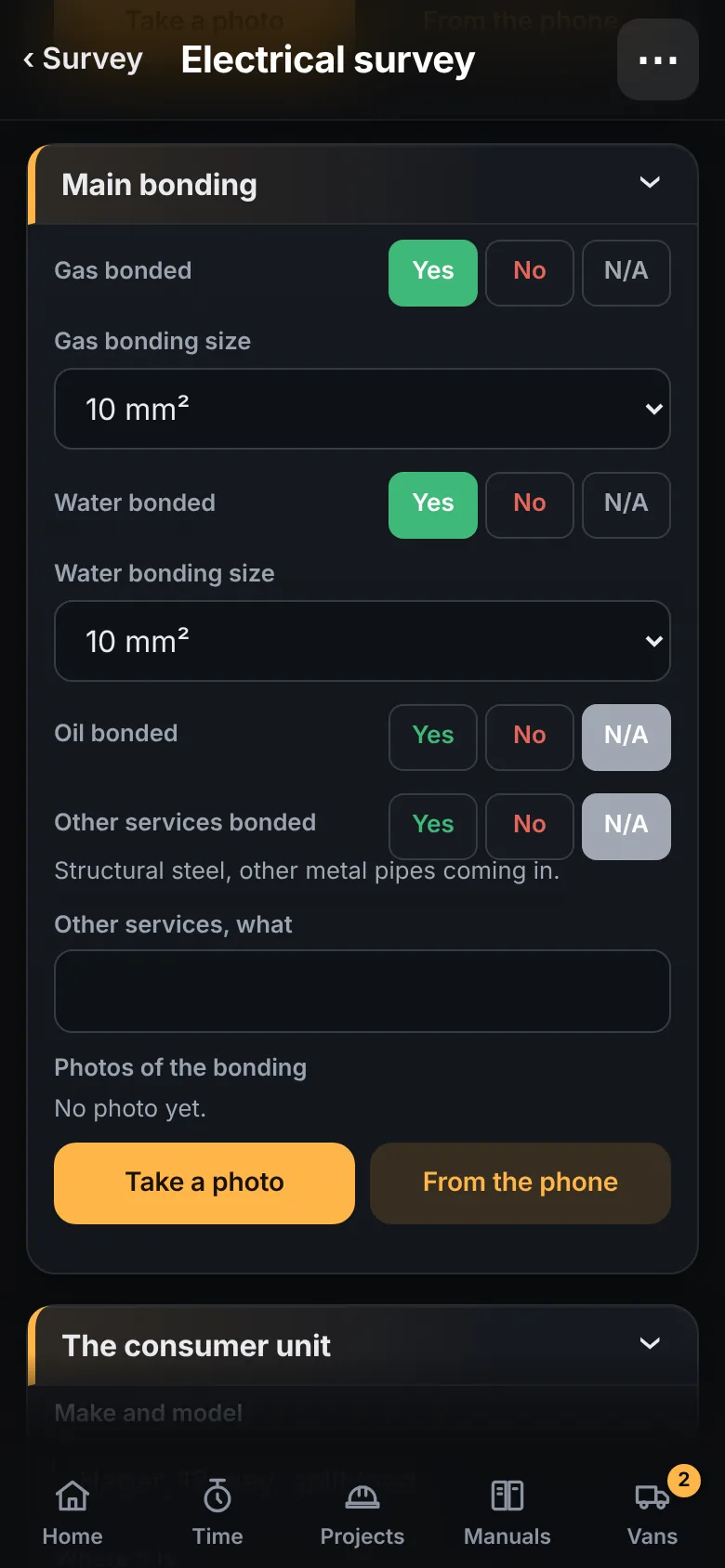
Tick boxes, choices, photos.
Start from the electrical survey that comes with the app, or build your own: sections, ticks, choices, numbers, photos and a signature. Any tick can be answered N/A, and the form counts the ones still blank.
Estimating and job management for UK electricians and trades
Survey it. Price it. Run it. Certify it. Get paid.
From the van, the site or the office, in the same app.
The real home screen. Tap a tile to see the screen behind it.
The film
01 · Follow the work
One job, one app. What you take down on the first call is still with the job when the certificate is issued and the invoice goes out.
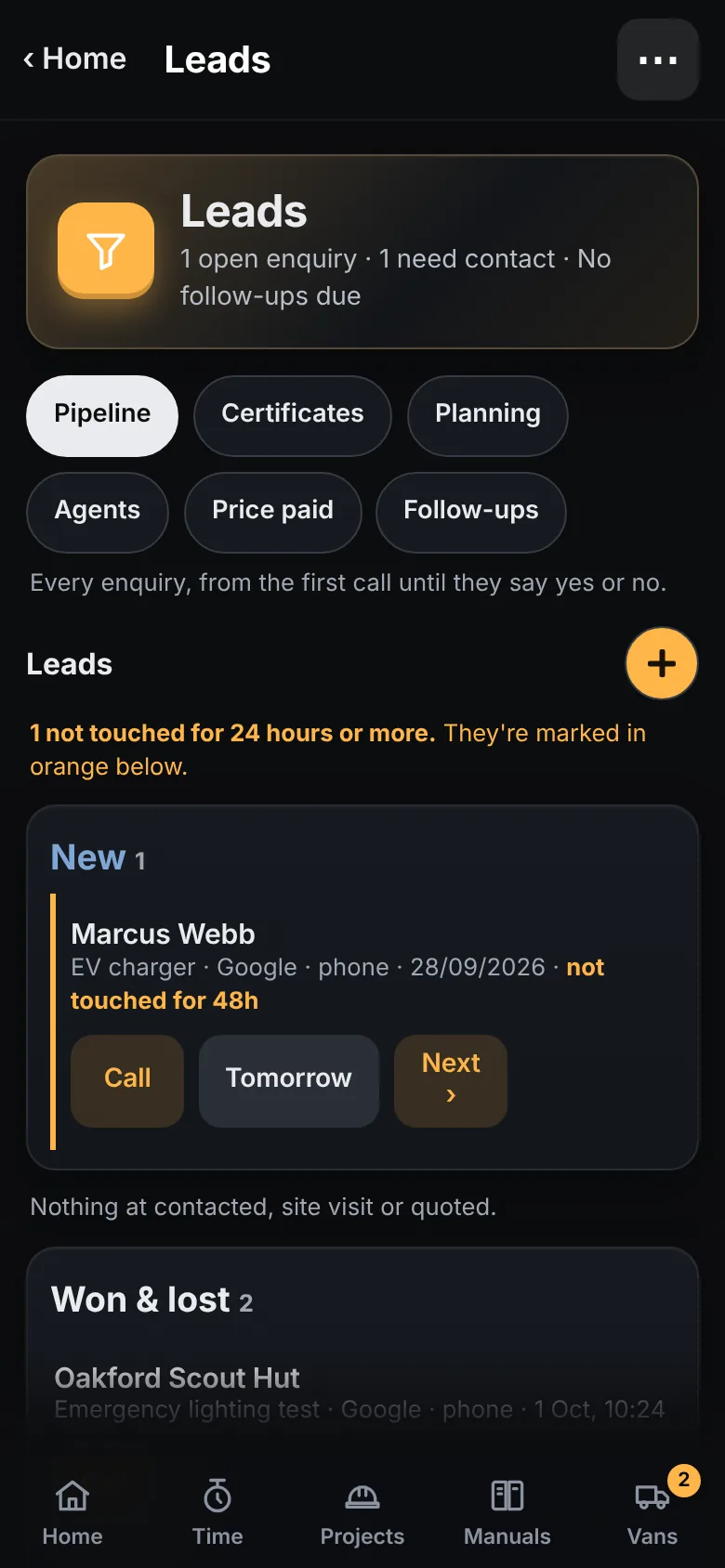
The enquiry goes in as a lead: who rang, what for, where they found you. New, contacted, site visit, quoted, won or lost. Anything not touched for a day is marked in orange, with Call and Tomorrow beside it.
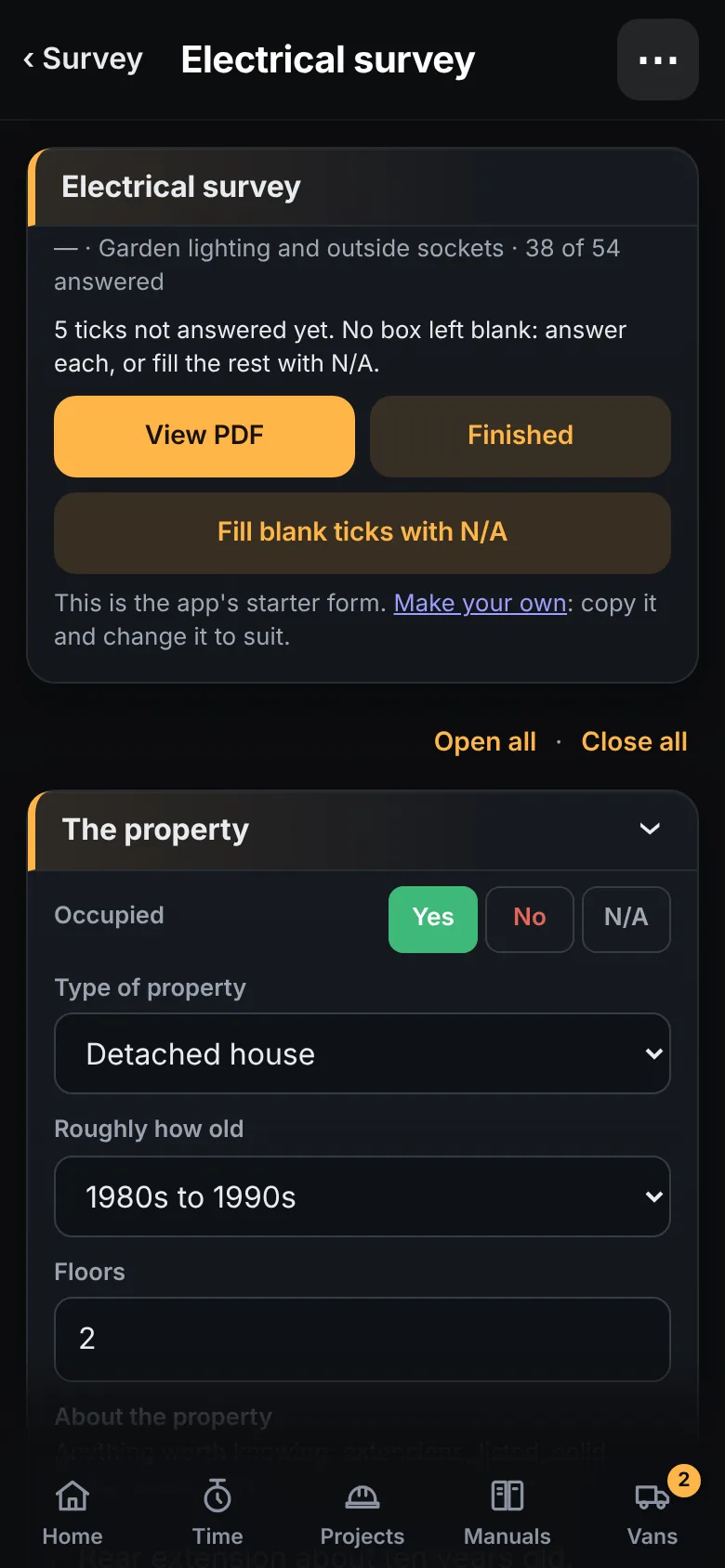
Start a survey on the lead, before the job is won. Tick through your own form, take the photos, mark up the plan. Win the job and it is all on the project.
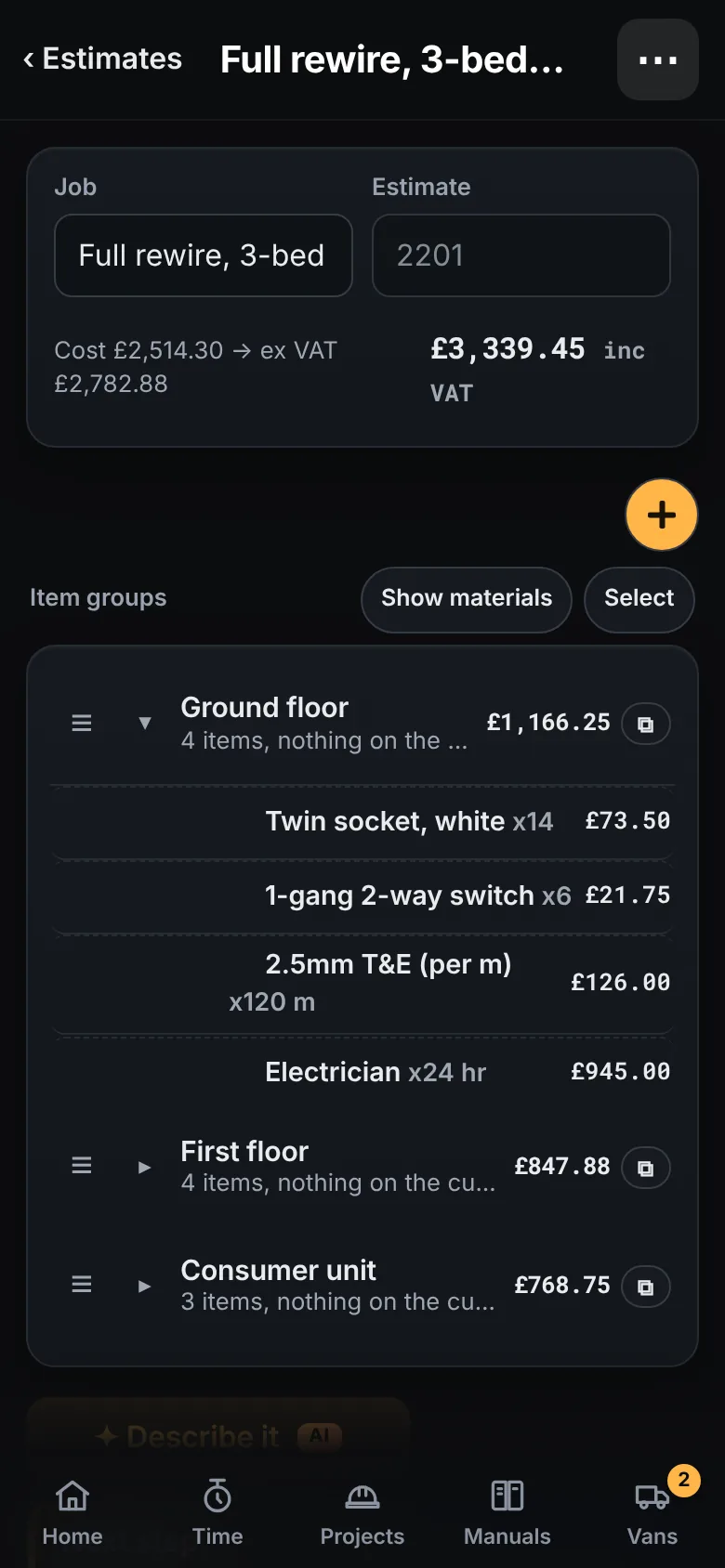
Dictate or paste the spec, or drop in the drawings. Group it by room. Price it from your own cost book with your own markup.
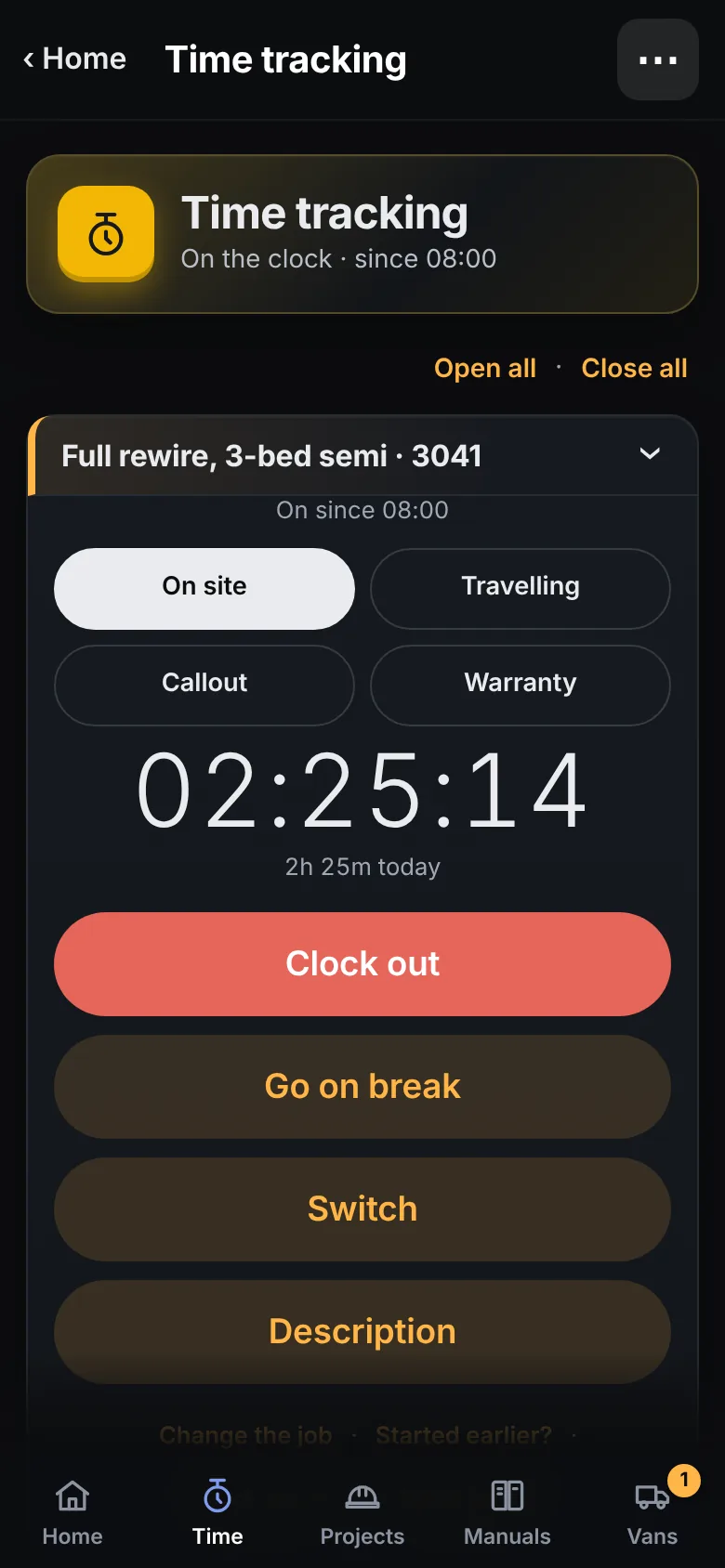
Job sheet, lists, notes and photos. Clock in from the phone, with travel and breaks. Hours, materials and billed against the estimate, live.
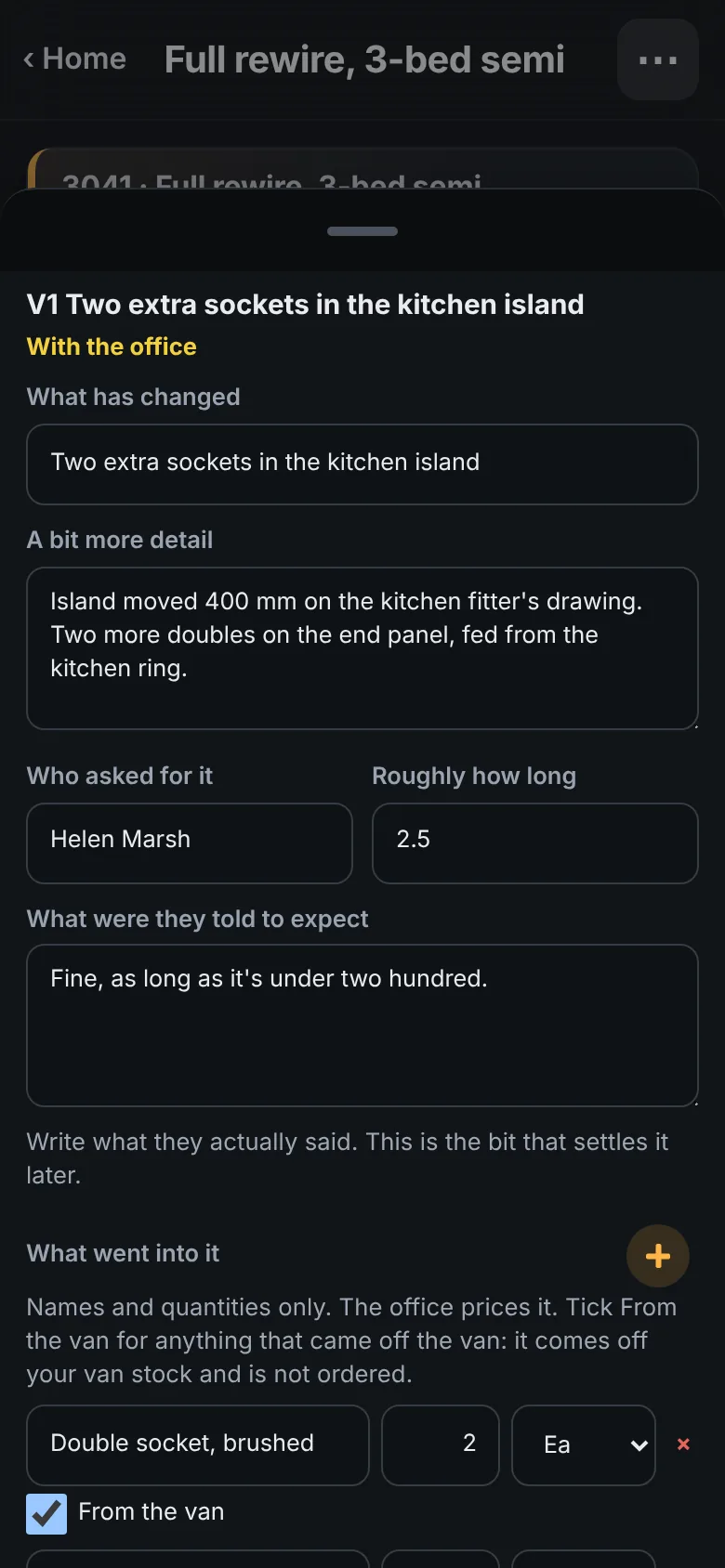
Two more sockets in the island. The installer puts it in on site: what changed, who asked, what they were told to expect, what went into it. The customer can sign there and then. The office prices it, and the customer signs for the price.
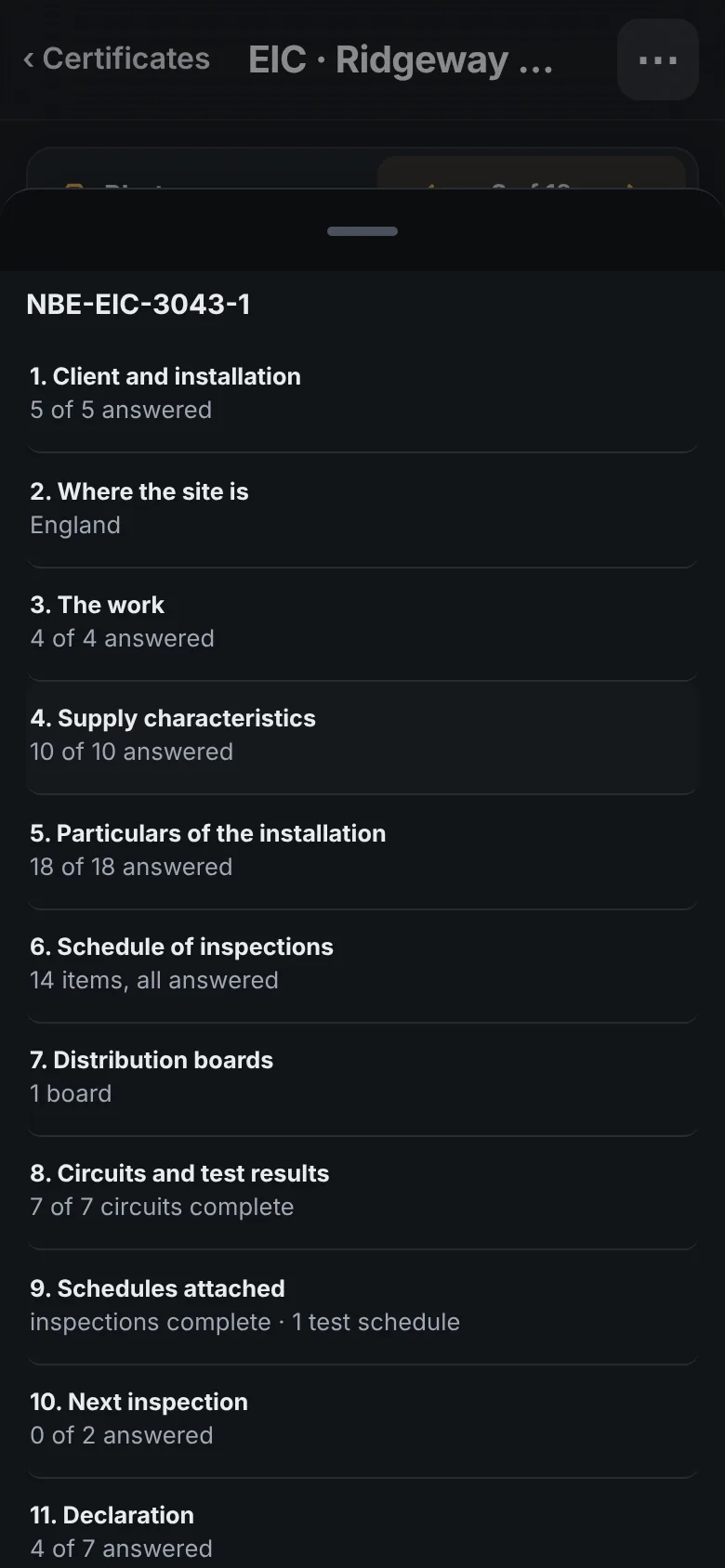
The client and the address come from the job. Add the board and its circuits, type the readings, run verification, issue it. More on that below.
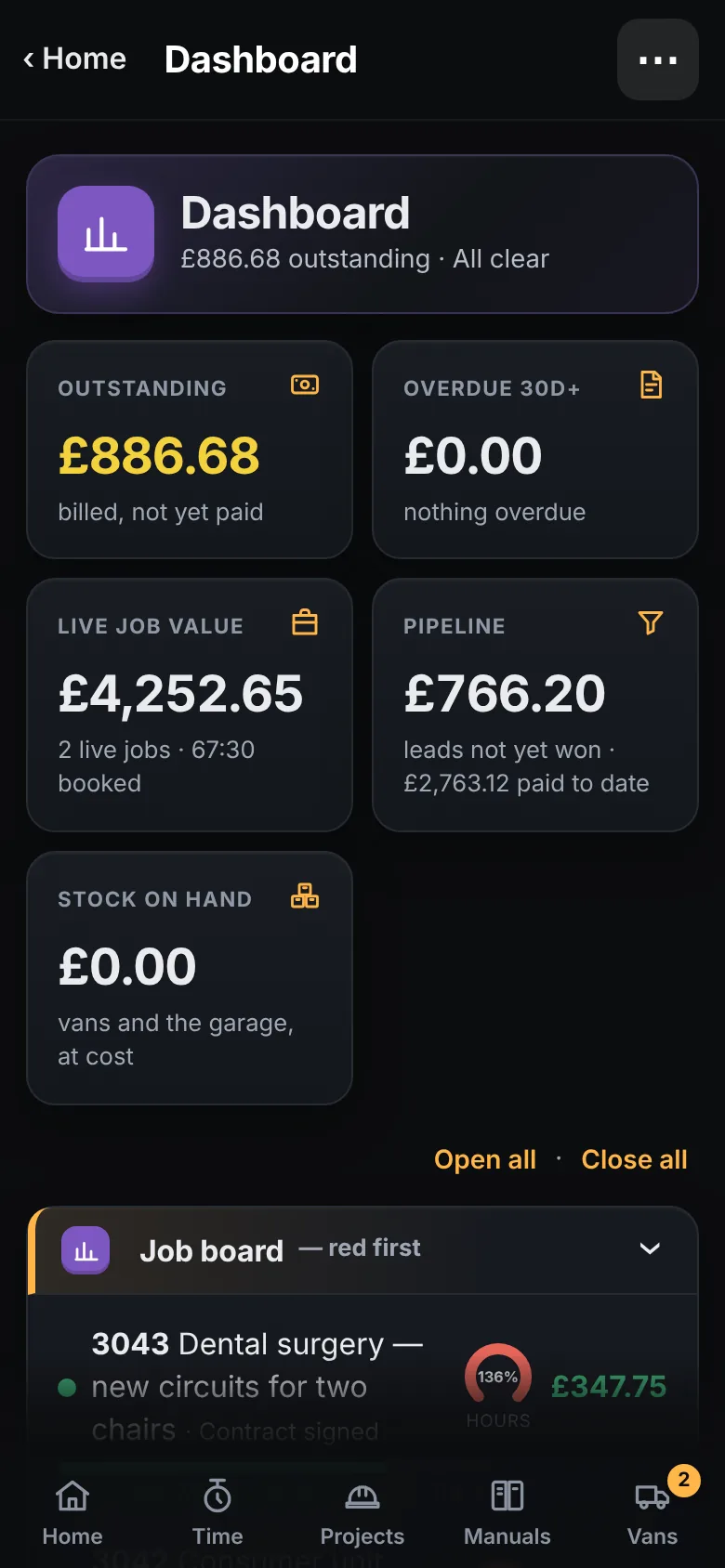
Invoice the rest from the job, approved variations included. See it land on the dashboard. The link to Xero and QuickBooks is in testing.
It does the work of the estimating spreadsheet, the quoting app, the paper job sheets, the timesheet app, the certificate software and the RAMS folder. One sign-in, one set of customers, one place to look.
The site tools work in a cellar, a plant room or a new build with no coverage. Clock in, fill the sheet, take the readings. It catches up when you are back in range.
A variation is captured with names and quantities only. The installer's copy of the variation order has no figure on it. The priced one is the office's to send.
02 · Less imagining, more seeing it
Screen recordings of the app itself, running a made-up company. No mock-ups.
03 · We've been there
You send the price out with the line items on it, so the customer can see what's allowed for. Now they can check every line against a builders' merchant, or hand it to another contractor to price against. So you do the sums once to get a price, then write the whole lot up again as a specification. Twice the work, and you're still open to being undercut.
Tradial writes it once and gives you every document from it: the materials for you, the specification for your customer, the job sheet for the installer. Never write it twice.
Same estimate, same afternoon. The installer's phone gets a third document, the job sheet, with the work and none of the money.
Pick a template per document. The spec with one total, prices by area, or every line itemised. Add photos to back it up. Whatever you send, the customer sees what you chose to show, and the working stays yours.
04 · The drawing pack reader
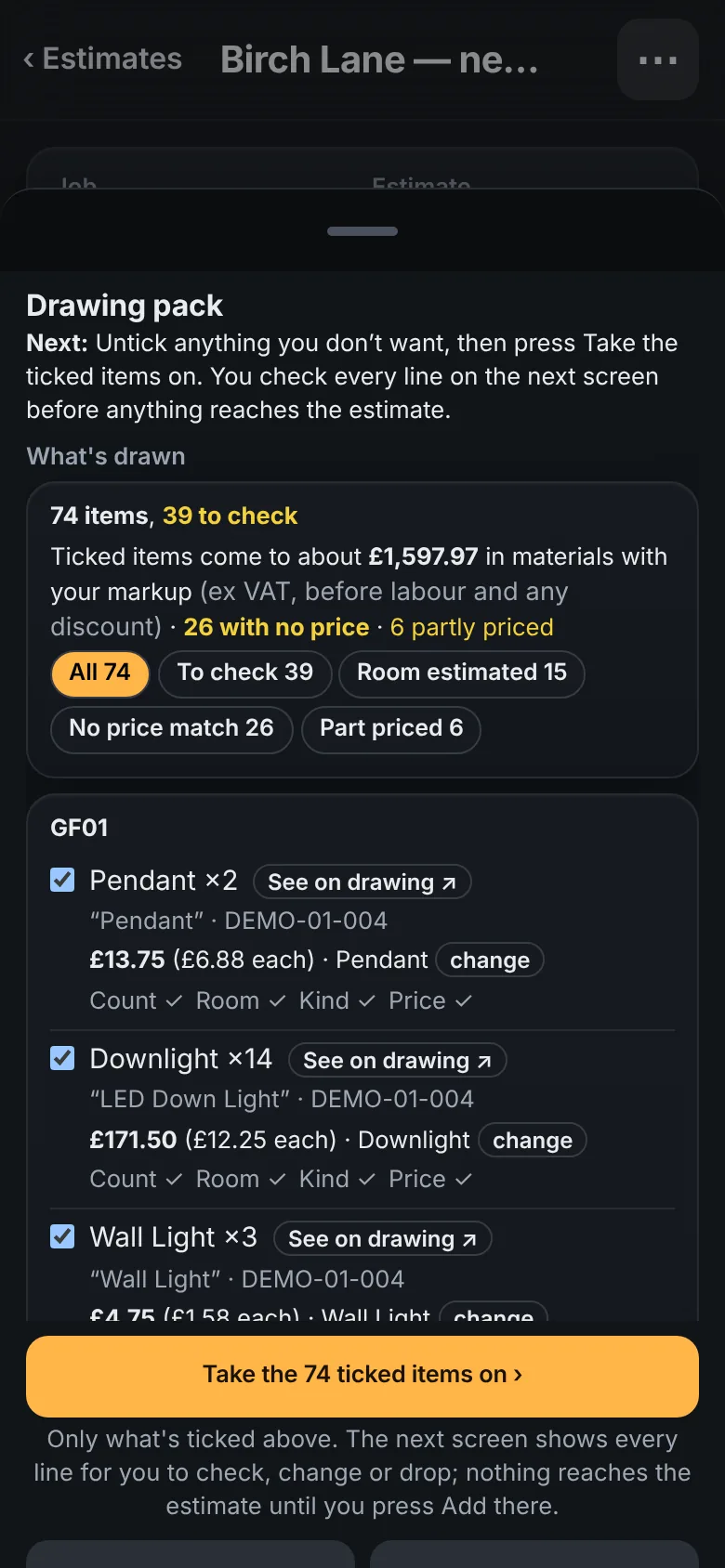
Most of a price is counting. Tradial reads the architect's or lighting designer's PDFs the way you would: finds the key, learns what every symbol means, then walks each sheet room by room and counts. What it's sure of, it prices from your cost book. What it isn't, it tells you.
It reads the key, then every symbol on the plan: 14 downlights and 3 wall lights in GF01, 10 downlights in GF02, 9 wall lights outside. Superseded revisions and duplicate sheets are set aside. Personal details are blanked before anything leaves your device.
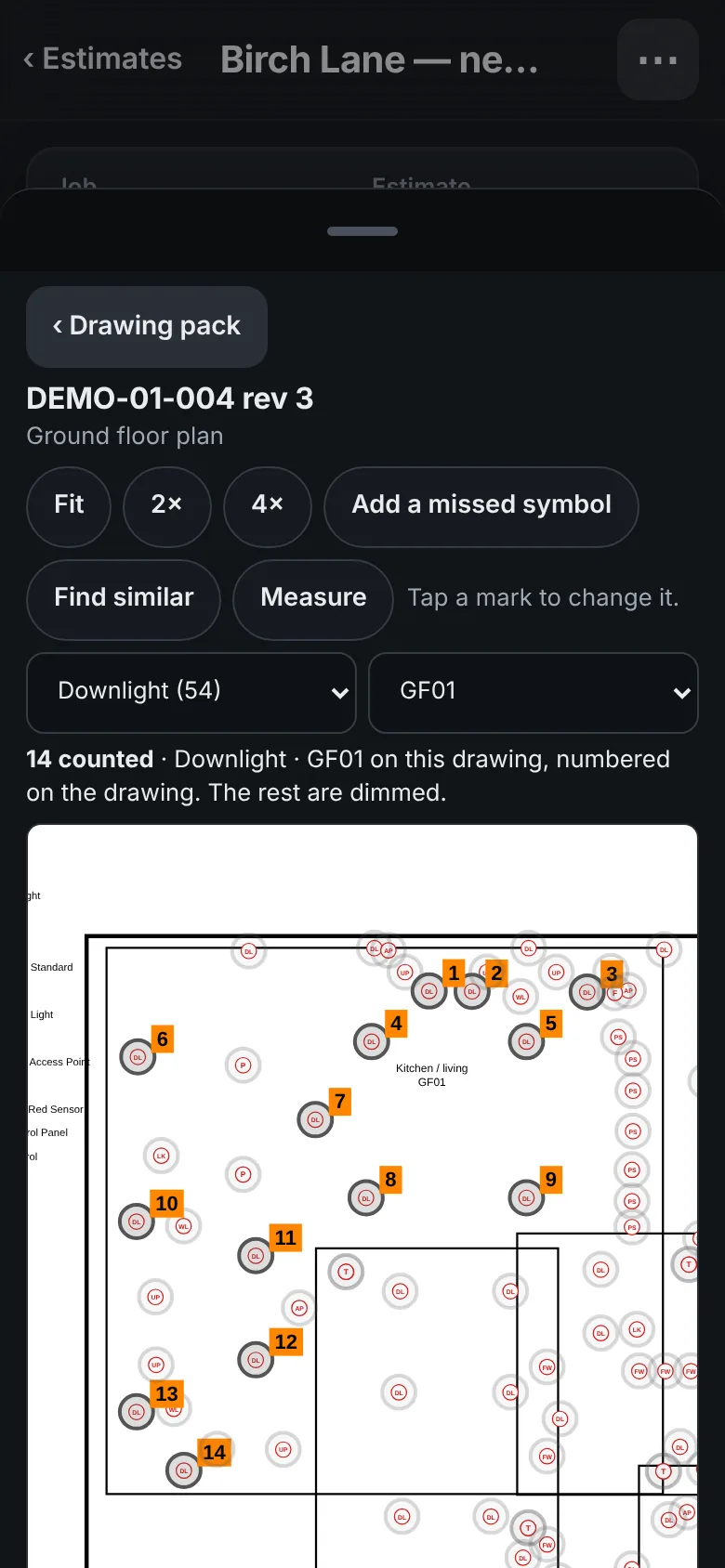
Tap See on drawing and the fourteen downlights in GF01 are ringed and numbered on the sheet, the rest dimmed. Not sure about one? Tap the mark to change or drop it.
A downlight is a downlight. A wall light brings its capping. An extractor fan brings its isolator, box, ducting and grille. Four ticks on every line: count, room, kind, price. Anything unsure starts unticked and says why.
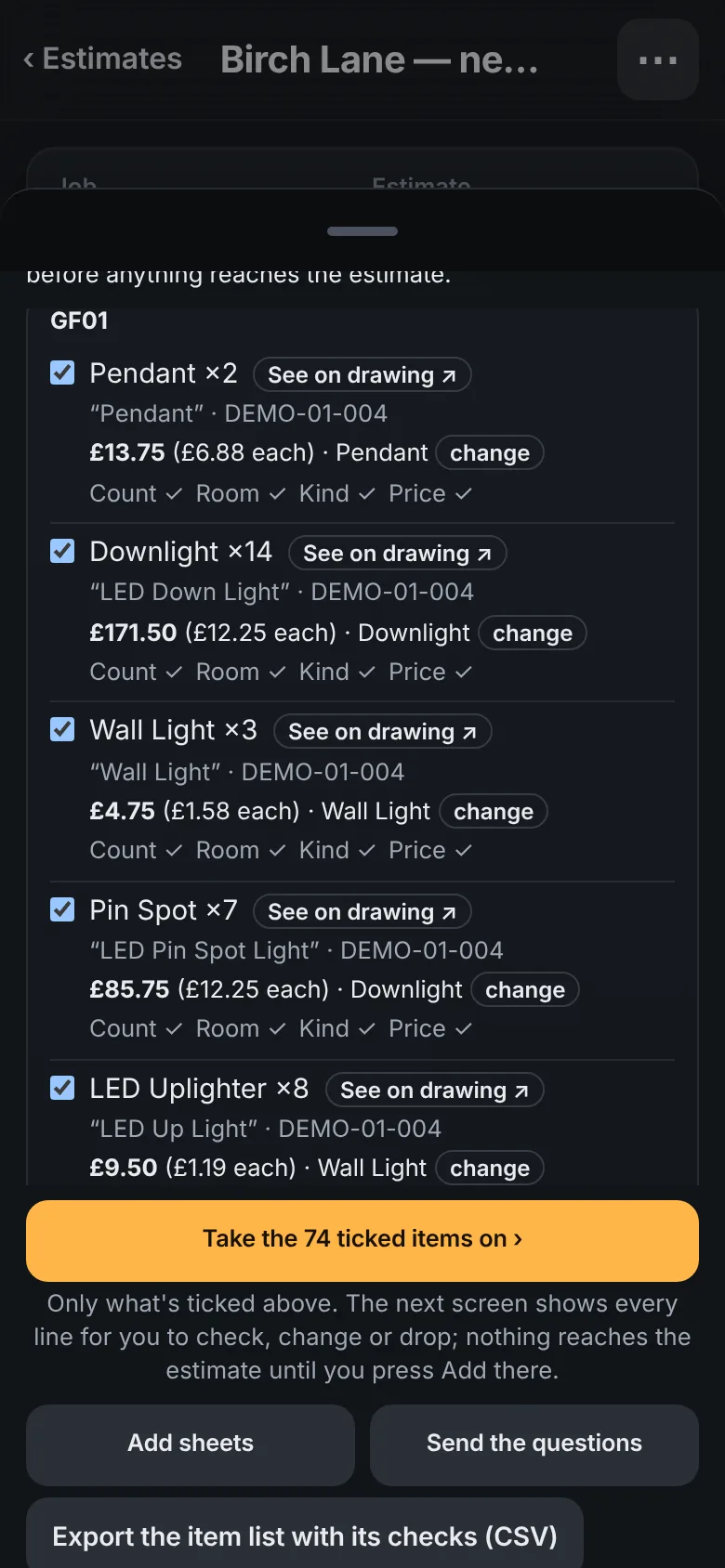
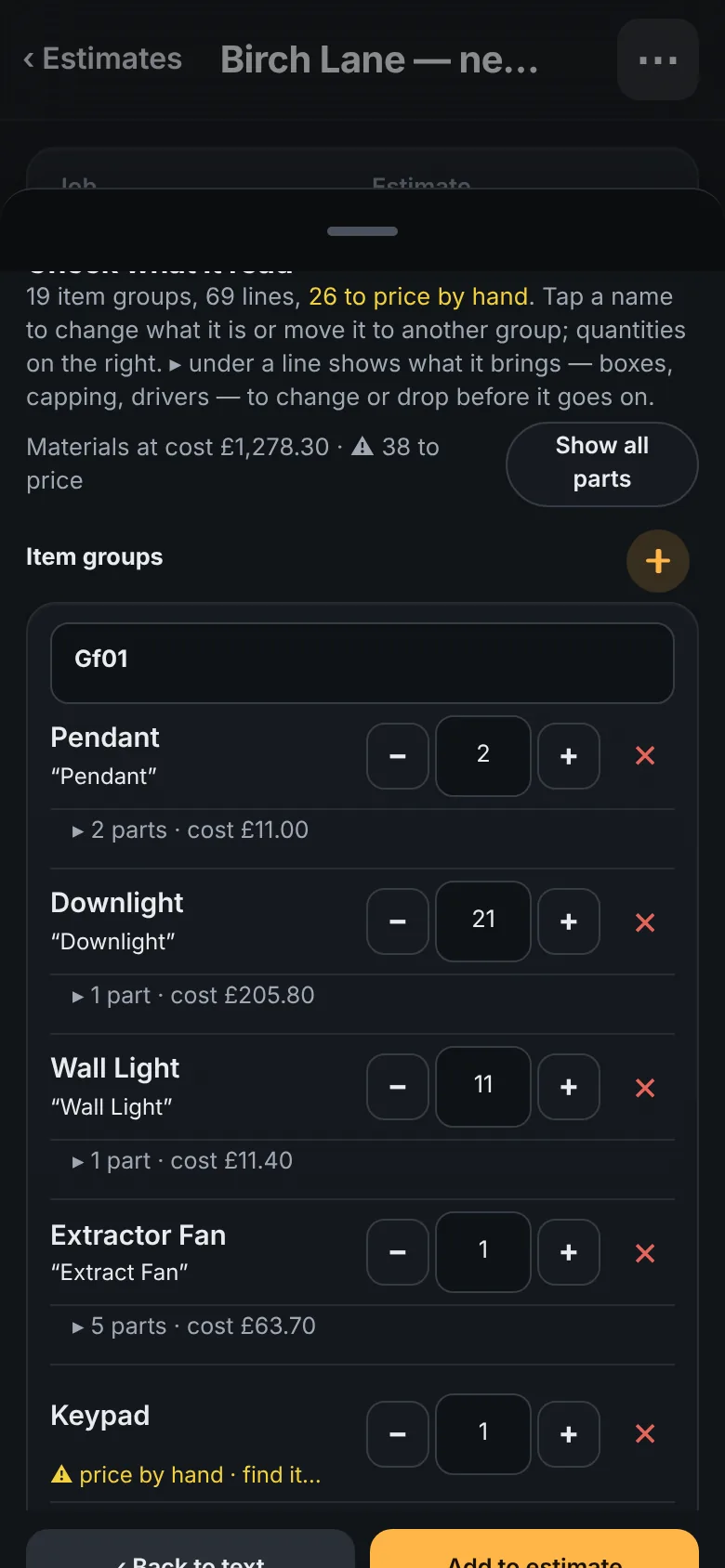
Take the ticked items on and check every line: rename it, move it to another room, change the quantity, drop it. Anything with no price yet is flagged, not hidden. Then add it to the estimate.
The book fills from your own supplier invoices and price lists. Tag items first fix, second fix or special order. The estimate never guesses a price it can't find; it tells you.
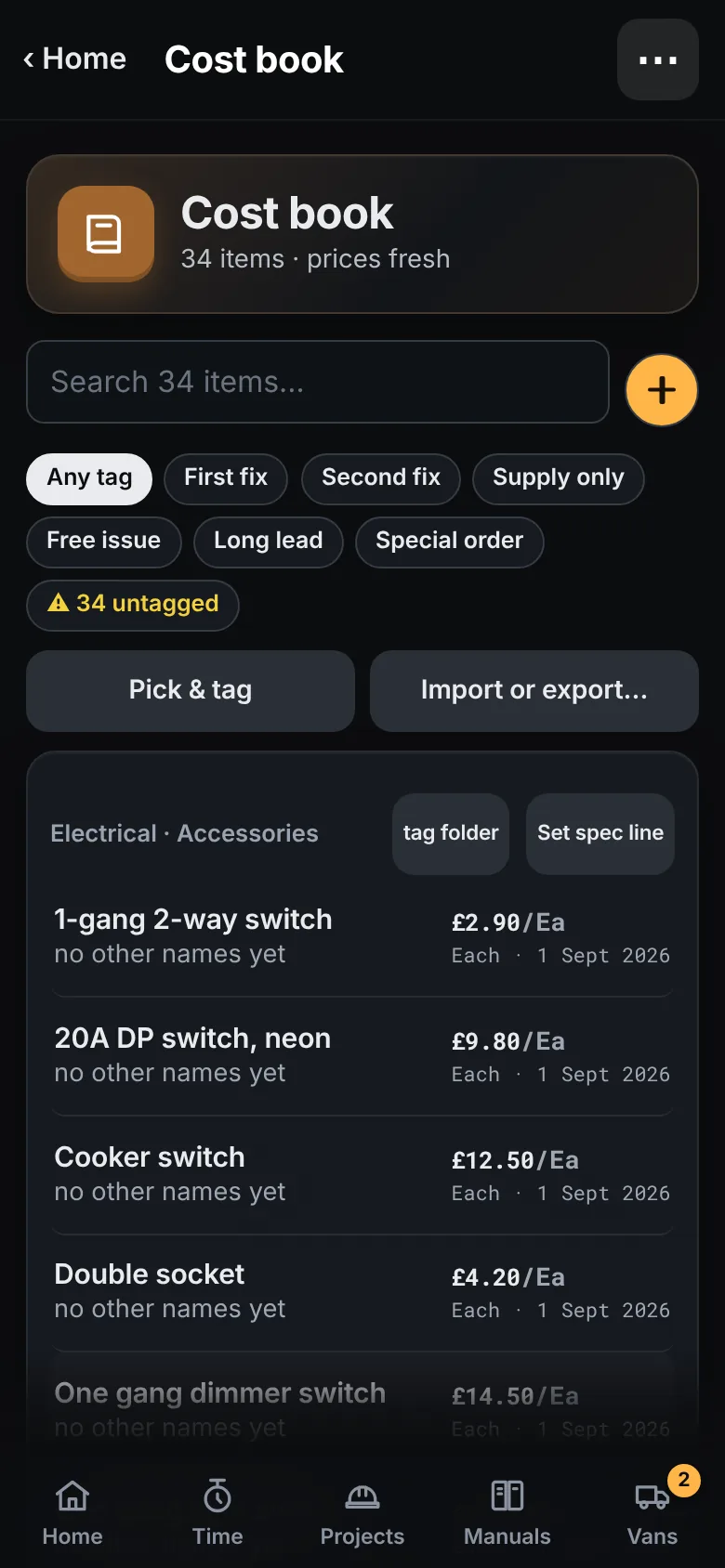
Where a drawing is unclear, the reader writes the question down. Send the list in one go instead of finding out on site.
A new issue of the pack is read again. The list shows what changed, what's new and what's on the estimate but no longer on the drawings.
The reader knows electrical symbols today, lighting and small power. Other trades, and a full construction pack split into trade packages, are being built.
05 · Before the job is won
The first visit decides the price, and most of it ends up on the back of an envelope or lost in a camera roll. A Tradial survey lives on the lead: your form, your photos, the plans you were sent and your marks on them. Win the job and all of it is on the project, where the people doing the work can see it.
Bring in the architect's PDF, or photograph the board, the meter or a wall, and draw straight onto it. Or start from a blank page and sketch the layout. The marked-up copy is filed on the job.
A survey belongs to the enquiry, not to a job you have yet to win. When you do win it, there is nothing to key in again.
Once there is an estimate it opens from the survey, so what you saw and what you are charging for are one tap apart.
Start from the electrical survey that comes with the app, or build your own: sections, ticks, choices, numbers, photos and a signature. Any tick can be answered N/A, and the form counts the ones still blank.
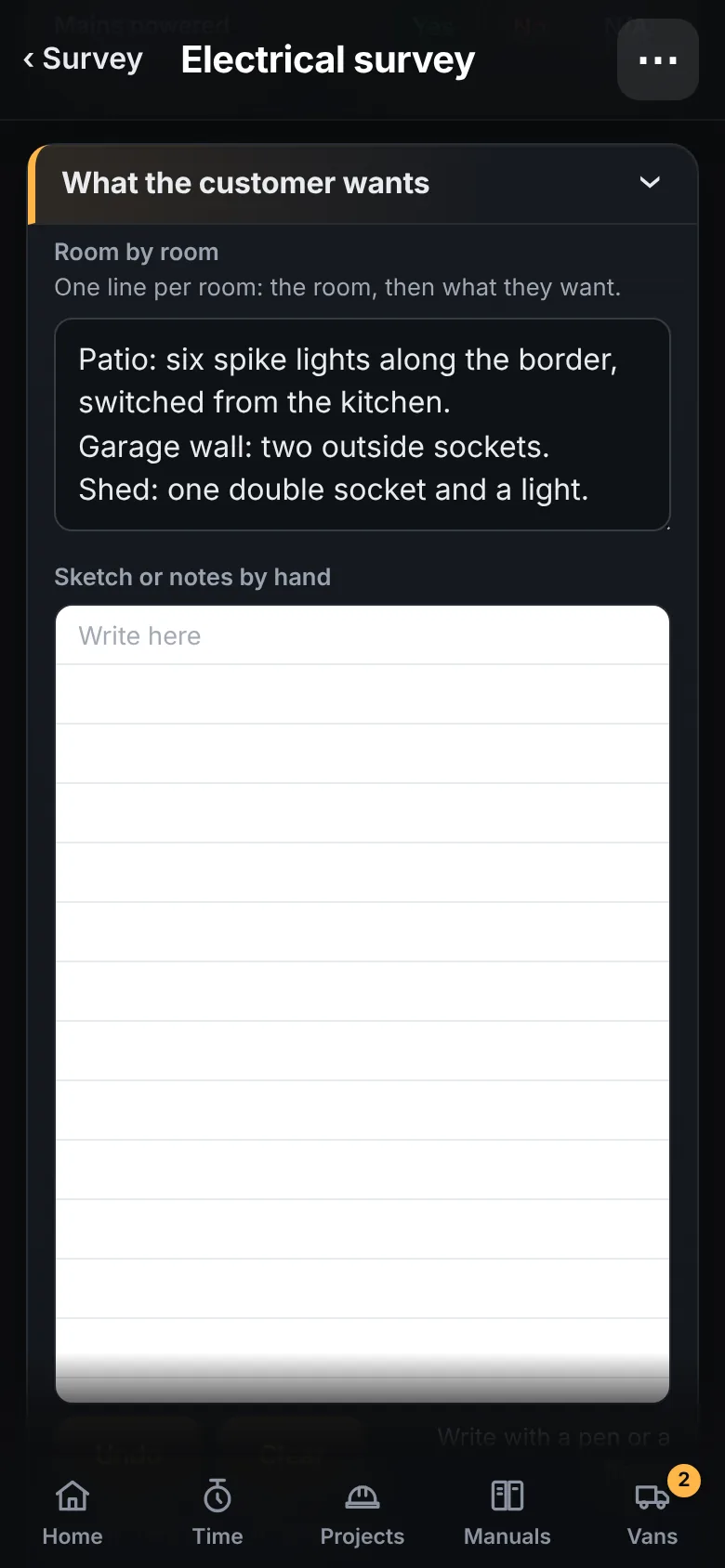
Some things are quicker drawn than typed. A form can have boxes to write or sketch in by hand, kept with the answers and printed on the survey's PDF.
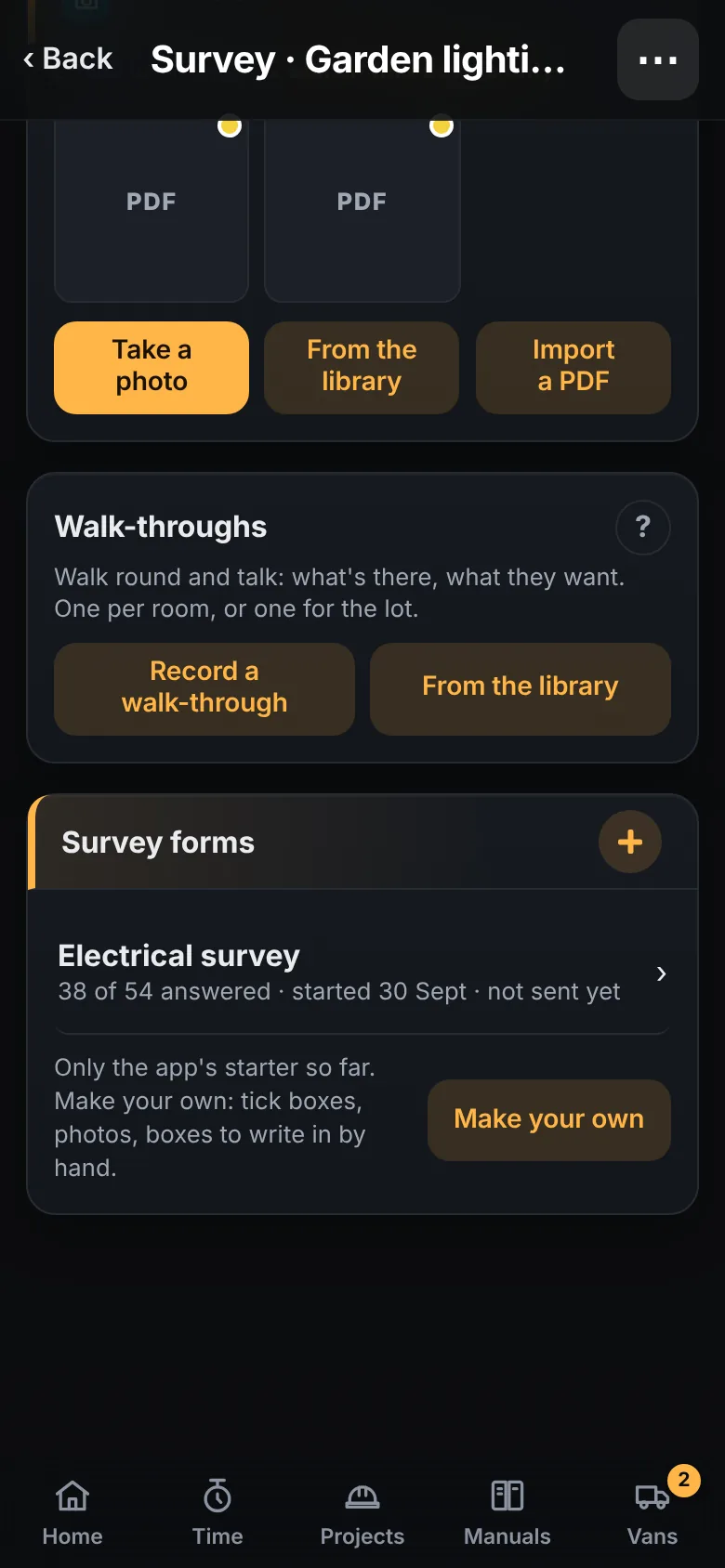
Record a walk-through, one per room: video for what you are pointing at, sound only for the whole walk-round. Anyone on the job can play it back later.
06 · Certificates
The certificate is filled in where the testing happens: on the phone, the tablet, or back at the desk. The arithmetic and the cross-checks are done for you. The inspection, the readings and the signature are yours.
Take a photo of the distribution board and the circuits come back as a list to check, with the label it read under each one. Details only: description, device, rating, RCD. Never a reading. Nothing is added until you say so.
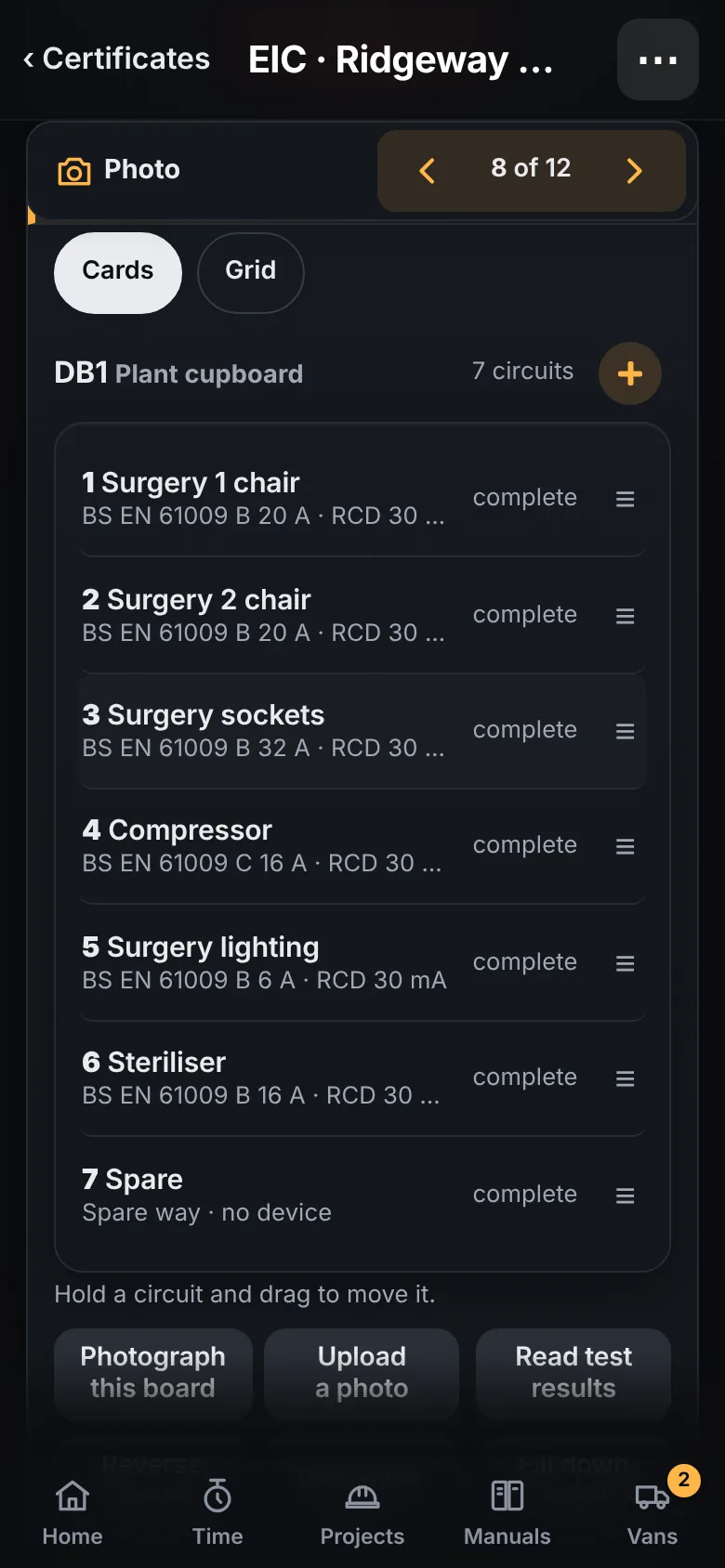
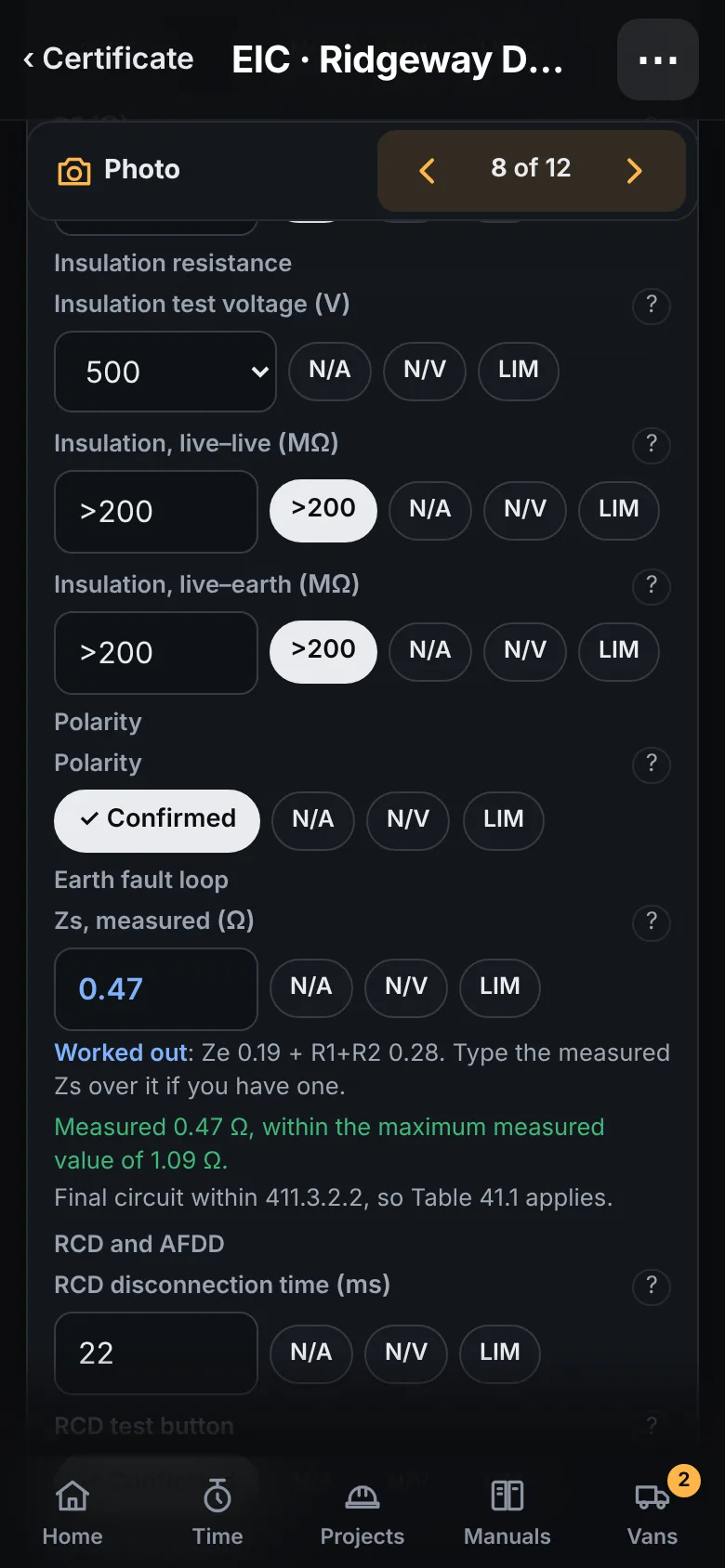
Enter Ze and R1 + R2 and the Zs is worked out, shown in blue on screen so nobody mistakes it for a measurement, and checked against the maximum for the device. Type a measured value over it whenever you have one.
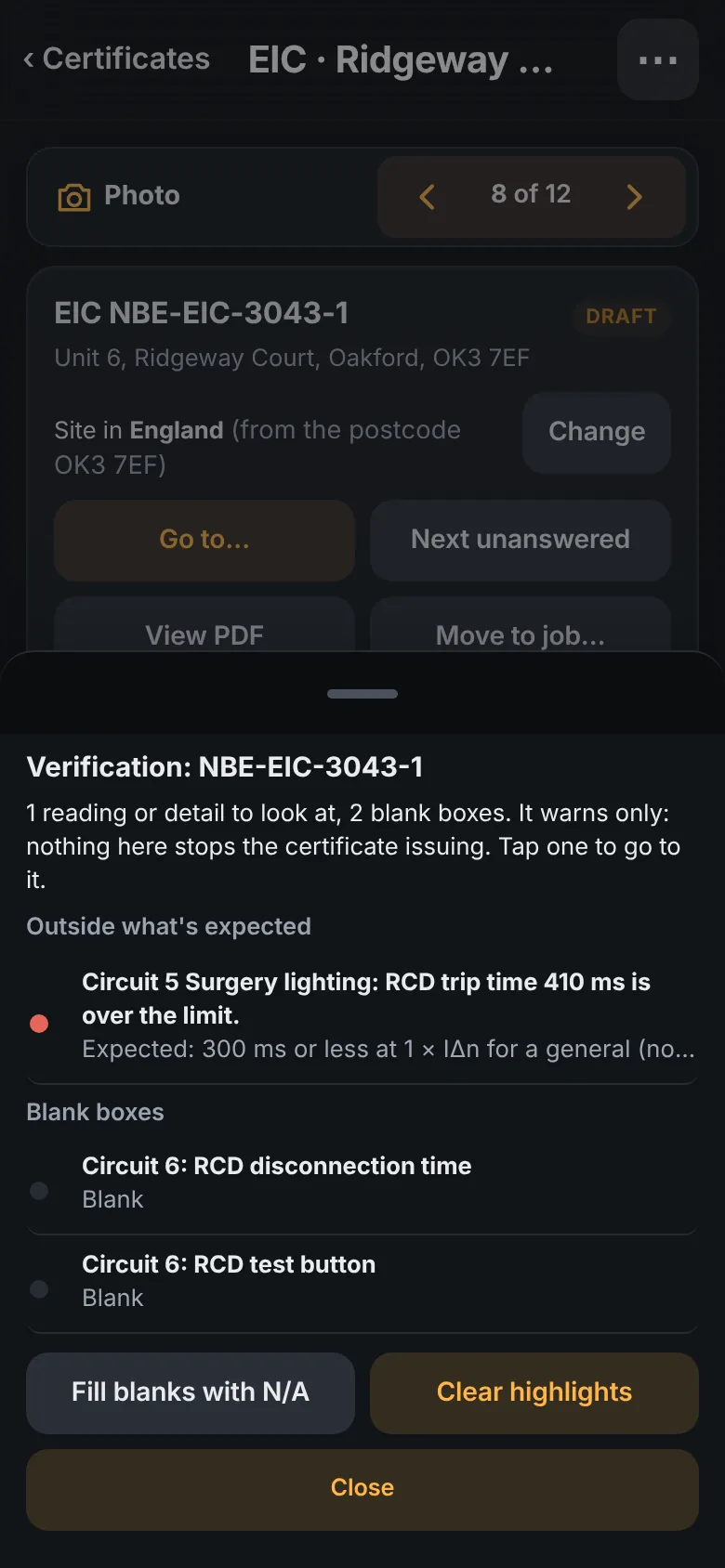
Run verification before you sign. Here it has caught an RCD trip time typed as 410 ms, and two boxes left blank. Tap a line to go to the box. Verification only warns. The judgement is yours.
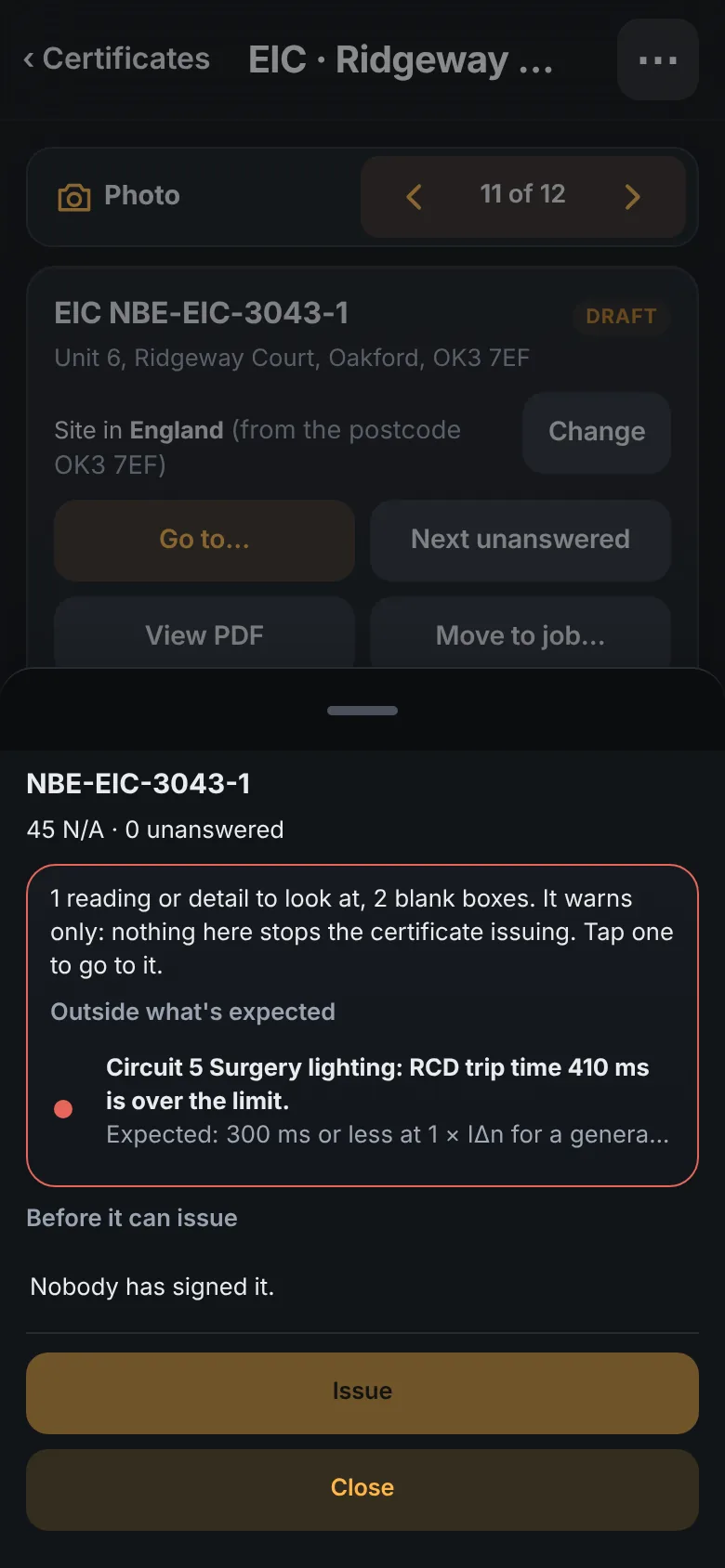
It will not issue unsigned, or with a required answer missing. Where your scheme wants a second pair of eyes, the reviewer signs on their own device. The PDF carries your logo and its schedules.
EIC, Minor Works, EICR and Danger Notice. Electrical first, because that is where Tradial began. Forms for gas, plumbing and heating are in the development build, and will be checked by people qualified in those trades before they are released.
Only issue a certificate if the person signing is qualified and competent for the work and the company is insured for it. The app asks you to confirm that every time. Tradial provides the form and keeps the record. It does not vouch for the work or the results, and takes no responsibility for a certificate issued with it.
Every certificate stays with its job and its customer. In progress, for review, issued: one list, and the PDF is there whenever somebody asks for it again.
07 · Wherever the work takes you
The same app on the phone in your pocket, the tablet in the van and the computer in the office. What you see follows your permissions, not where you are standing.
The installer's phone shows the job and nothing else. No prices. Ever.
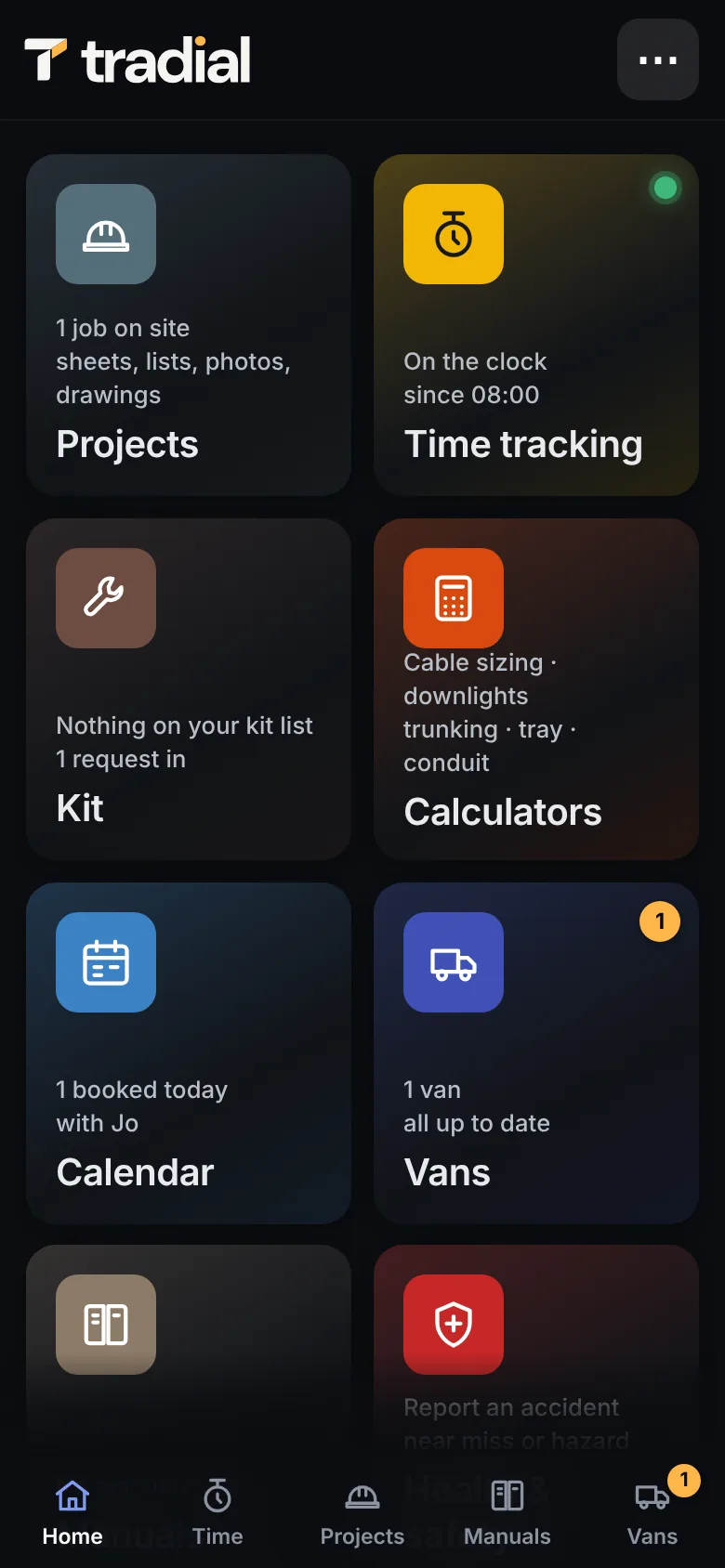
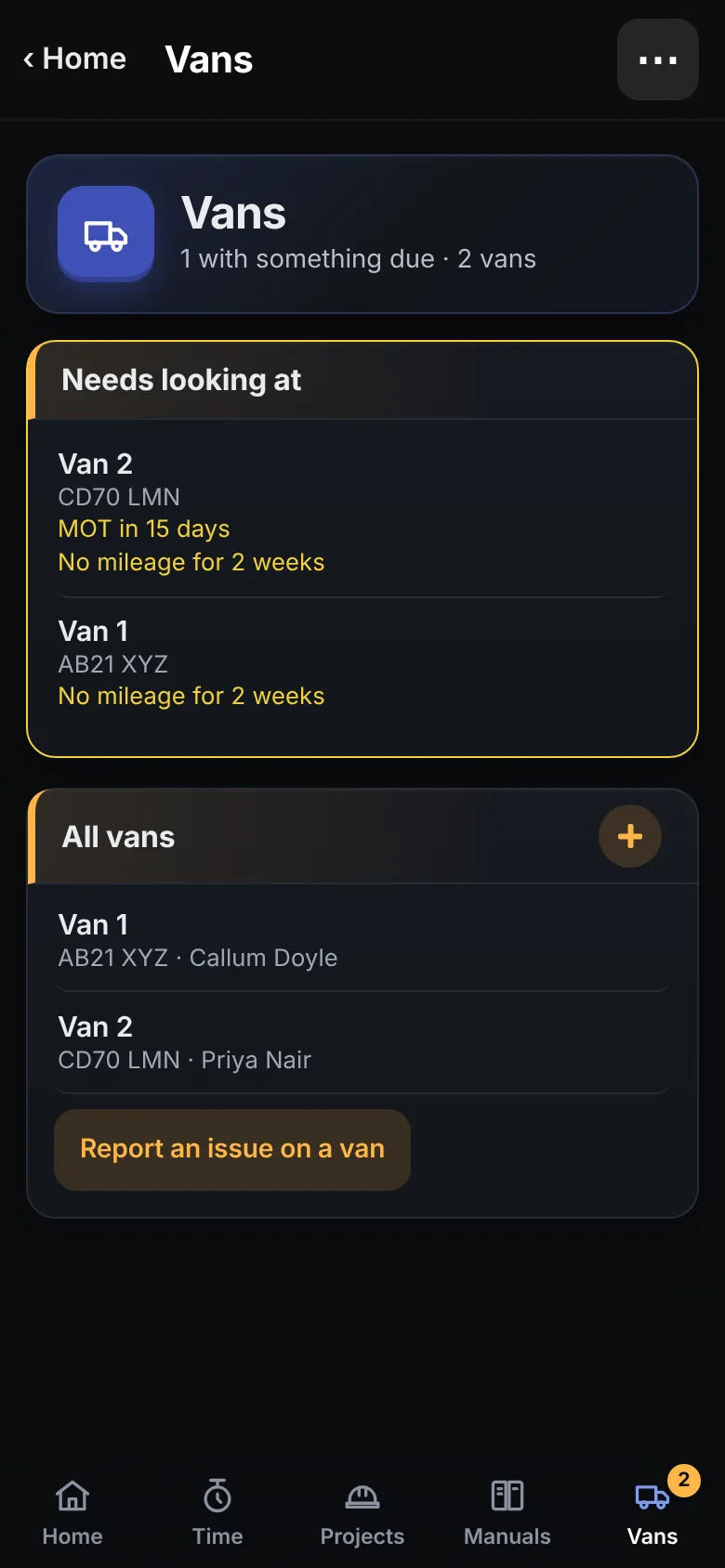
MOT dates, tool requests and the cable sizer, all without a signal.
Dashboard, pricing desk, customers and accounts on the big screen.
08 · One app, as many responsibilities as you have
There is no separate office app. If you quote, fit and invoice, all of it comes with you. When you bring people in, you give them the tiles they need and nothing more.
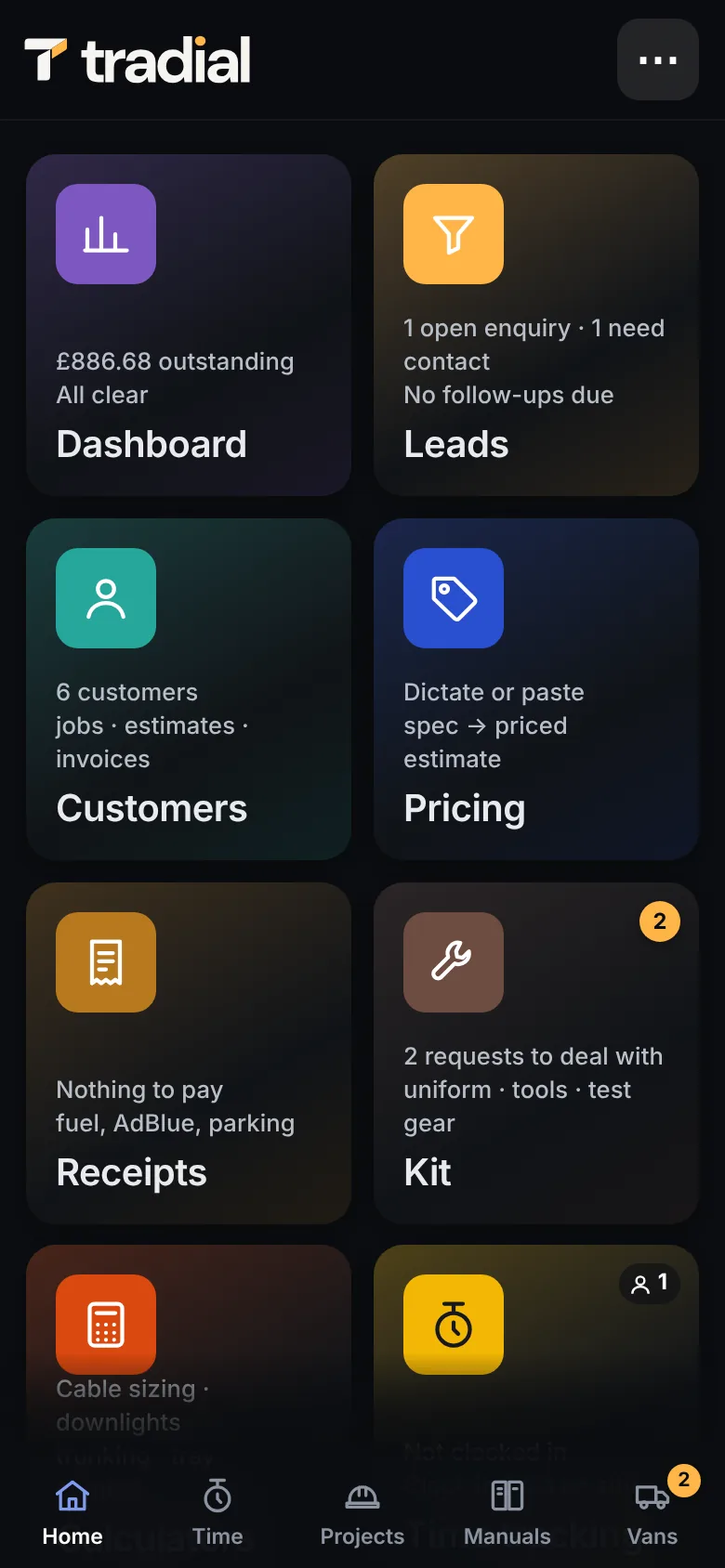
Dashboard, leads, customers, pricing, receipts, projects and the lot. Costs, estimates, invoices, wages and reports each have their own switch, so a supervisor can have some of it without all of it.
Projects, time, kit, calculators, calendar, vans, manuals, H&S and certificates. The installer's phone never receives a price. That is the database saying no, not a screen hiding it.
09 · The work around the work
A missing signature. A van service. A pair of boots that needs replacing. Give the everyday requests somewhere to go.
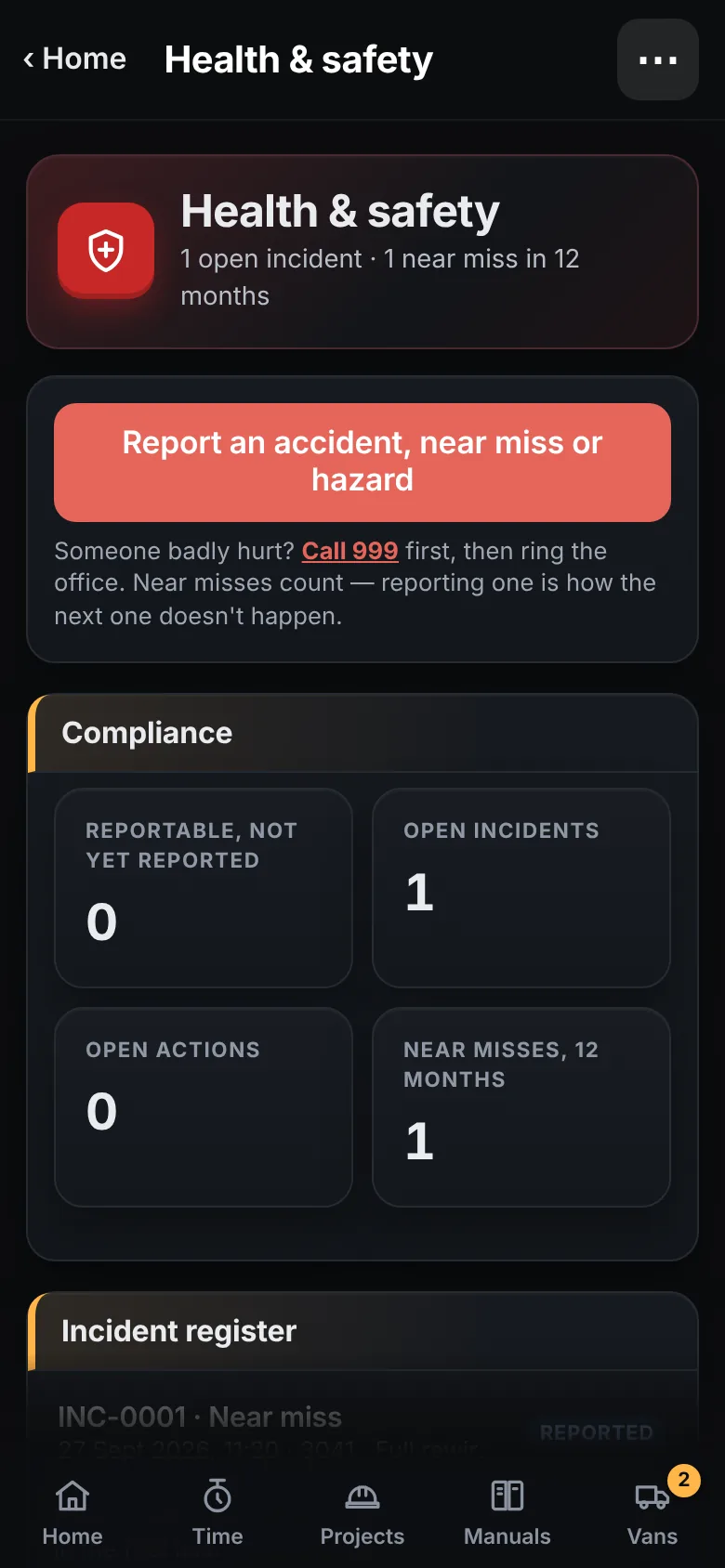
Choose the assessments for the job and sign on site. Report an accident, near miss or hazard from the same place, and it lands with whoever reviews it.
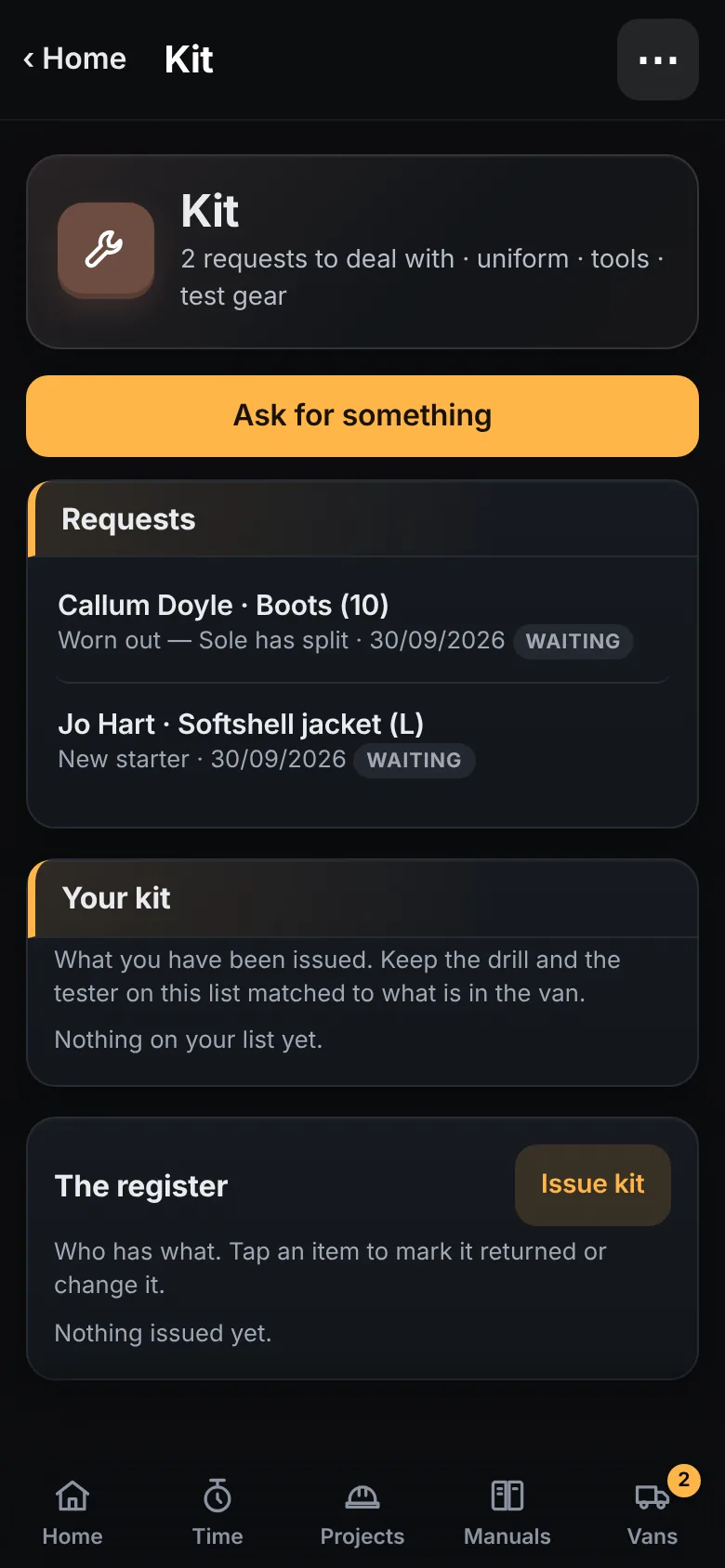
MOT and service dates, the odometer at clock-out, an issue recorded before it becomes a breakdown. Ask for uniform, tools or test gear from the phone.
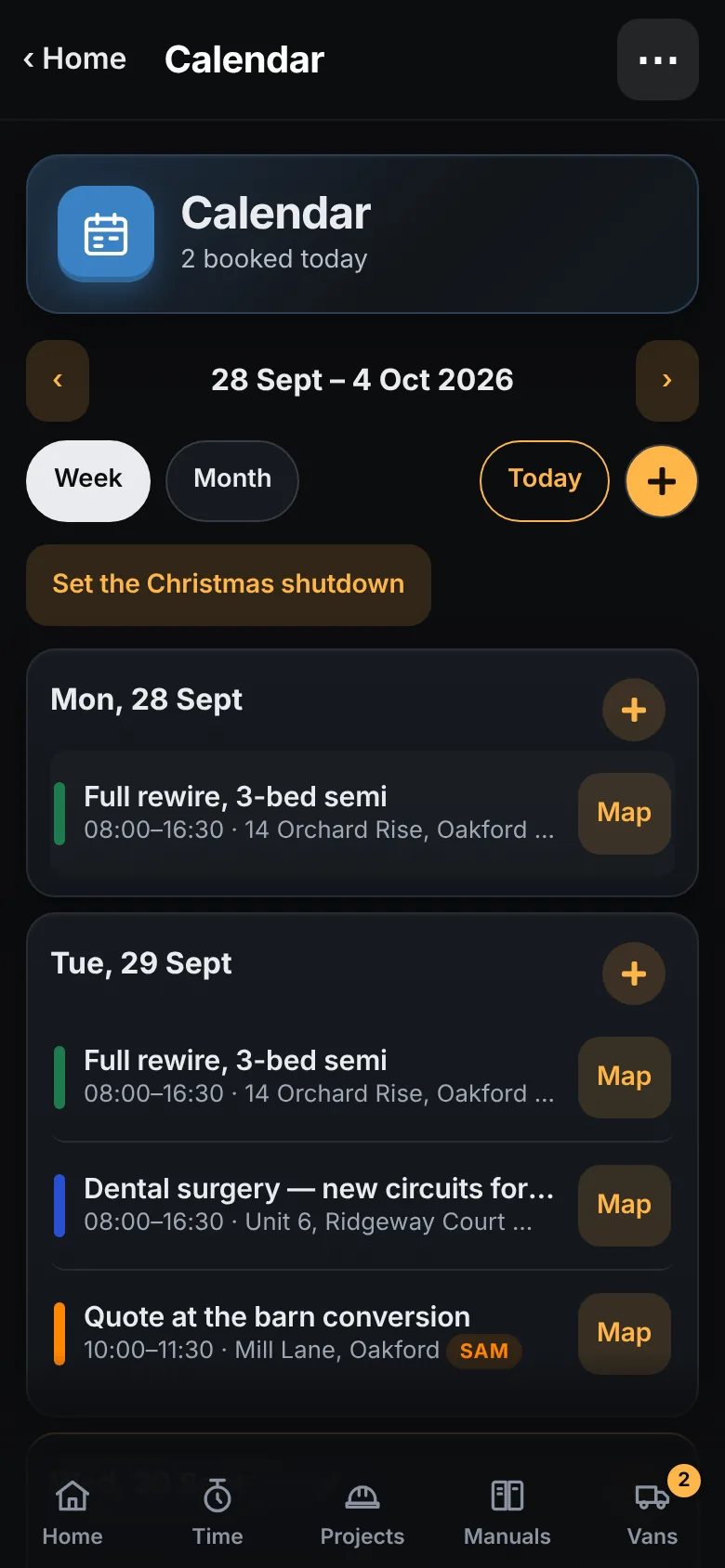
The diary, leave, the Christmas shutdown and the company manuals within reach. Hand over booking the diary or approving leave when you are ready.
10 · Understand the business
Job time, travel and non-billable work, dated, with a description. Payroll runs from it.
Labour and materials against the estimate, with approved variations in view. Red, amber, green.
Billed, paid and outstanding. Time since the last invoice. Xero and QuickBooks to follow.
A note from the founder
Tradial began inside DLS Electrical in Shropshire, with the estimating, site work, staff and paperwork of a real contracting business.
The aim is to make that whole day easier to manage. For the sole trader doing it all, and for the growing business learning to share the load.
Before you ask
Tradial is a web app for UK electricians and other trade businesses. It takes a job from the first contact to the final invoice: the enquiry logged as a lead and a survey on it; a price from a dictated or written specification or from the architect's PDF drawings, using your own cost book; a specification for the customer and a materials list for you from the same entry; then the job itself, with job sheets, time tracking, variations, vans and kit, RAMS and incidents, certificates and invoices. It was built inside DLS Electrical, an electrical contractor in Shropshire, and is now being readied for other contractors.
Yes. Add the architect's or lighting designer's PDFs to an estimate and Tradial reads the key, counts the symbols room by room, prices what it can from your cost book and lists the rest for you to check. Every count can be shown ringed on the drawing. Nothing reaches the estimate until you have checked it. Electrical symbols today; other trades are being built.
Most trade apps keep one list of lines and let you hide some of them on the customer's copy. Tradial keeps the specification and the materials as two different documents from the start, made from one entry, so the customer's document is written in their terms and the materials list never leaves the office unless you choose to send it. Prices are also walled in the database, not on the screen, so an installer's phone never receives them.
Yes: the Electrical Installation Certificate, Minor Works, the EICR and the Danger Notice. The client and address come from the job. You can photograph the distribution board to get the list of circuits to check, Zs is worked out from Ze and R1 + R2, and Run verification lists every blank box and every reading outside what is expected before you sign. Only issue a certificate if the person signing is qualified and competent and the company is insured for the work: Tradial provides the form and keeps the record, and takes no responsibility for a certificate issued with it.
Yes. A survey sits on the lead. Fill in your own survey form, take photos, bring in the PDFs you were sent and mark them up with the Pencil, a finger or the mouse, and record a walk-through. If you win the job, everything is on the project.
The installer puts the variation in on site: what changed, who asked for it, what they were told to expect and what went into it, with photos, and the customer can sign for it there and then. The office prices it and the customer signs for the price. Approved variations count in the job's value and go on the final invoice. The installer's copy never has a price on it.
Yes. Business tools and site tools are the same app, with phone, tablet and desktop layouts. What you can open depends on your permissions, not on whether you are at a desk.
No. There are named roles and individual switches. Buying costs, estimates, invoices, wages and reports each have their own. Booking the diary and approving leave can be handed to someone else.
The job, time, team and business tools suit any trade business. Electrical is where Tradial began, so the certificates and the drawing-pack reader are electrical first. Certificate forms for gas, plumbing and heating are in the development build and will be checked by people qualified in those trades before release. We will talk about your trade before early access.
Xero and QuickBooks connections are in the development build, along with exports. They need live validation with real accounts before wider release.
It is a web app you add to your home screen. Cached screens and the site tools work without a signal; syncing needs a connection. App-store versions are planned.
It is in active development ahead of a controlled early-access release. Pricing and dates have not been announced. What you see on this page is the real development build, running a made-up company.
Built around the way you work.
Tell us your trade, the size of your team and what would make your working day easier.
